Mögliche Anmeldeprobleme bei Microsoft 365 auf iPad oder iPhone.


Voraussetzungen

  • ein aktives Konto des URZ (Universitätsrechenzentrum) der Universität Jena als:
    • Mitarbeiter (Vertrag durch Dezernat 5 - Personal der Friedrich-Schiller-Universität Jena) oder
    • Studierende mit Immatrikulation
  • Betriebssystem auf Zielgerät:
    • aktuelles iPadOS/iOS
  • Administratorrechte auf dem Zielsystem
  • Installiertes Microsoft Office 365 - Paket
  • Internetzugang

Mögliche Fehlermeldungen

1. "Ein anderes Konto aus ihrer Organisation ist bereits auf diesem Gerät angemeldet"
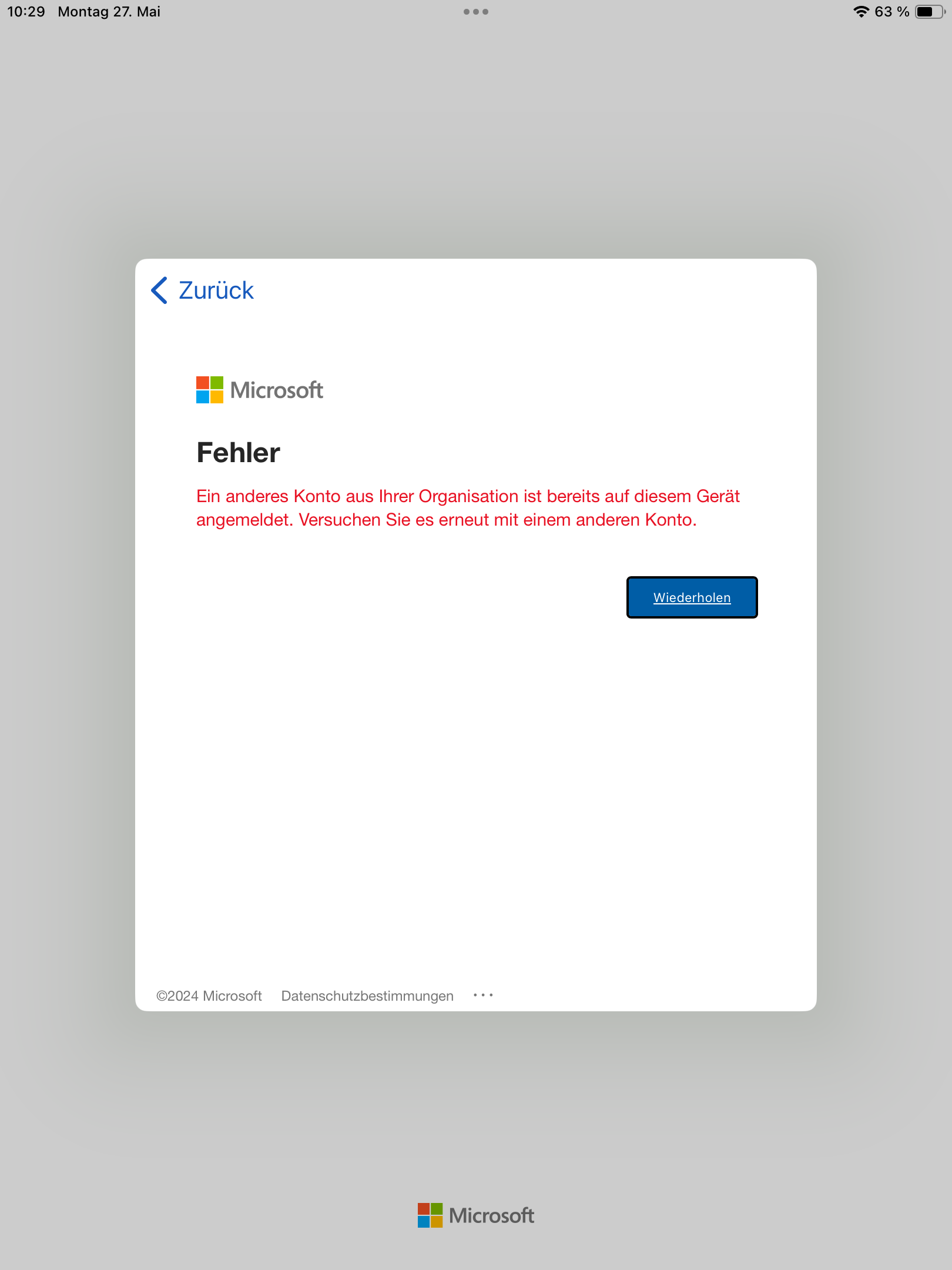

(zum Vergrößern auf das Bild klicken)

2. "AADTS50020" ("User account ... from identity provider ... does not exist in tenant" etc.)


(zum Vergrößern auf das Bild klicken)

Fehlerbehebung

Für beide Fehlermeldungen gilt die gleiche Anleitung zur Behebung.

1. Schritt: Öffnen Sie die Einstellungen und navigieren Sie zu Apps - Word/Exel/PowerPoint etc. (alternativ: über das Suchfeld nach der entsprechenden App suchen). 
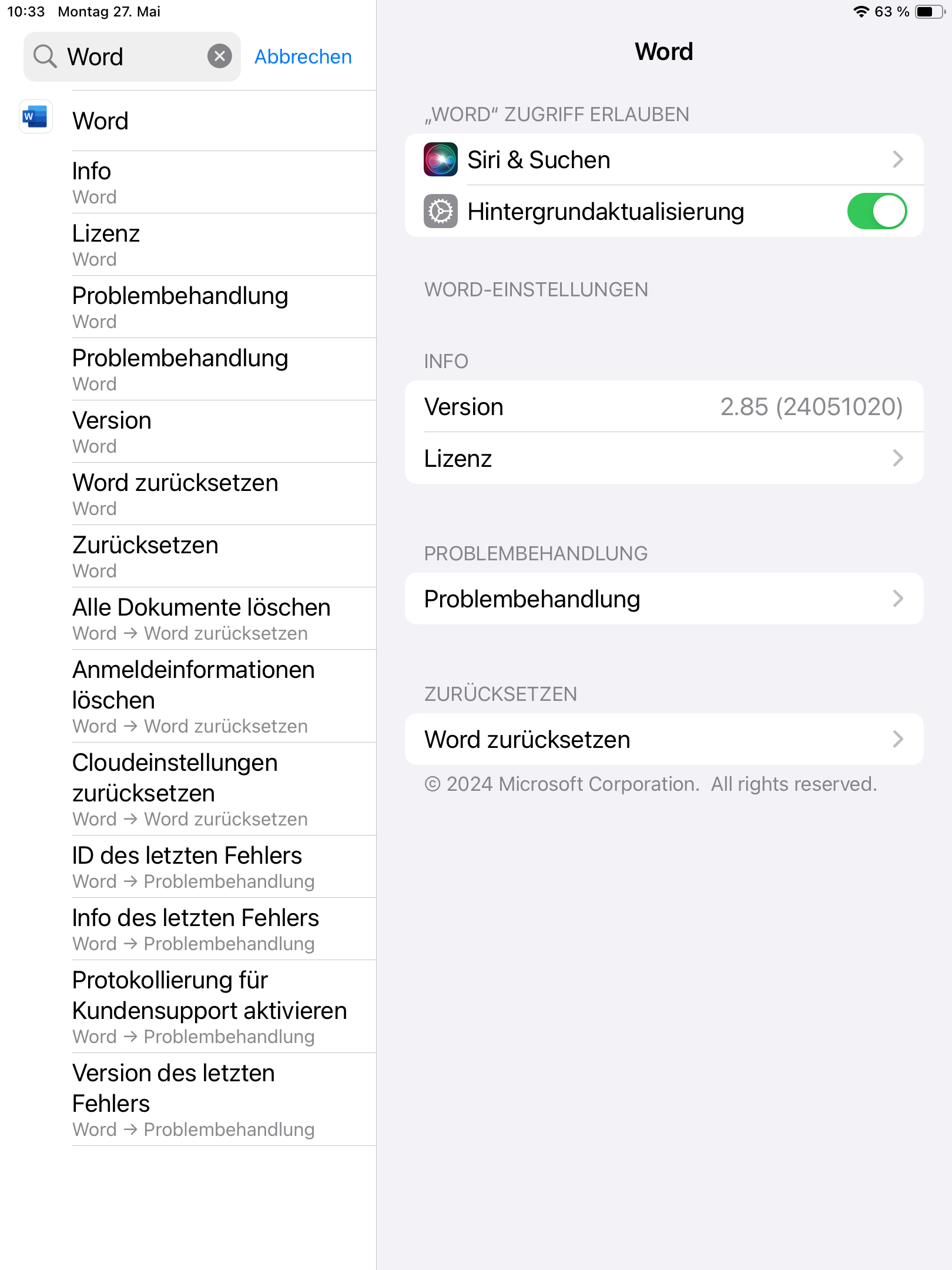

(zum Vergrößern auf das Bild klicken)


2. Schritt: Wählen Sie "Word (bzw. Exel, PowerPoint etc.) zurücksetzen"
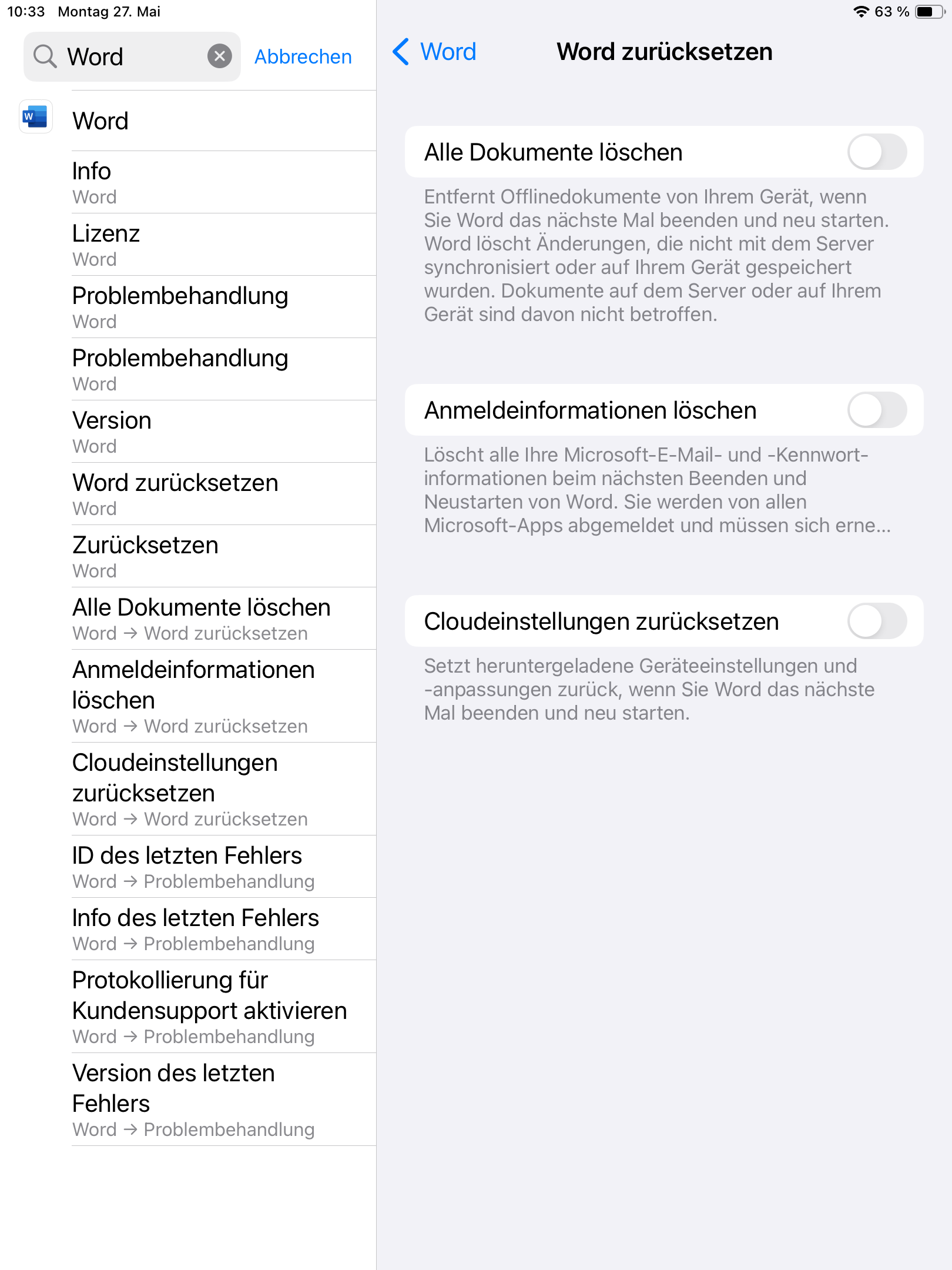

(zum Vergrößern auf das Bild klicken)

3. Schritt: Aktivieren Sie "Anmeldeinformationen löschen"
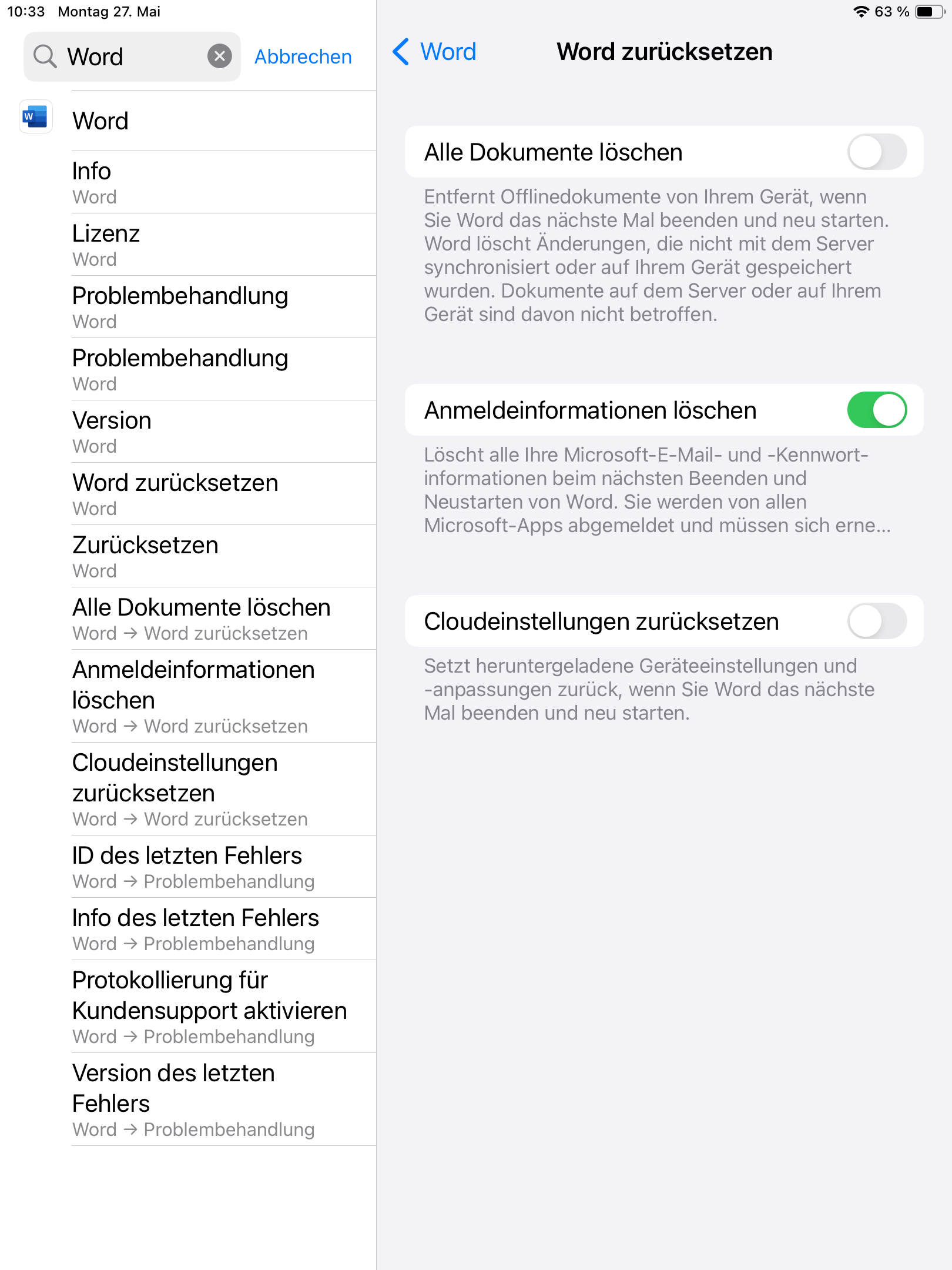
(zum Vergrößern auf das Bild klicken)

Nun sollten Sie sich ohne Probleme mit ihrer Uni-Mail-Adresse und dem entsprechenden Microsoft Office 365 - Passwort anmelden können. 

Wenn Sie das Passwort vergessen haben, finden Sie hier die Anleitung zur Zurücksetzung. 


Bei weiteren Problemen lesen Sie bitte die Microsoft Office 365 FAQ.


Possible problems when trying to log into Microsoft Office programs via iPad/iPhone. 


Requirements

  • an active account of the URZ (University Computer Center) of University of Jena as:
    • Employee (contract through Dezernat 5 - Personal of Friedrich-Schiller-University Jena) or
    • Student with matriculation
  • Operating system on target device:
    • Current version of iPadOS/iPhone
  • Administrative rights on the target system
  • Installed Microsoft Office 365 Package
  • Internet access


Possible error messages

1. "another account from your organization is already signed in on this device"


(click to enlarge the picture)

2. "AADTS50020" ("User account ... from identity provider ... does not exist in tenant" etc.)


(click to enlarge the picture)

Solution

Both error messages can be solved with the following instructions.

1. Step: Open settings and go to: Apps - Word/Excel/PowerPoint etc. (alternatively: search for the relevant app via the search window). 


(click to enlarge the picture)


2. Step: Choose "reset Word (bzw. Exel, PowerPoint etc.)"


(click to enlarge the picture)

3. Step: Enable "Delete Login Credentials"

(click to enlarge the picture)

Now, you should be able to log into your account without problems using your Uni-mail and the corresponding Microsoft Office 365 - password.


In case you forgot your Microsoft Office pasword, you can reset it using this guide. 


In case of other problems, please read the Microsoft Office 365 FAQ.


Titel: "iPad - Anmeldeprobleme bei Microsoft Office 365 Apps"

Stand: 30.09.2025